
Good for tablets: touchscreen operation, new apps and easier on the battery
With Windows 8, Microsoft is embracing the tablet world. Windows 8 introduces an optimized interface for touch screens with dedicated apps, it runs faster than Windows 7 and offers many new functions. With the help of our numerous tips, you can make the switch right away.
New features, different versions
Windows 8 is available in different versions. There's the choice of a home version and the business versions, Windows 8 Pro and Windows 8 Enterprise.
Windows 8 introduces Windows Store Apps that are optimized for tablets. They're exclusively installed through the Microsoft Windows Store App. For large displays two Apps can run side by side in Snap mode. With Windows 8 you get pre-installed Apps like Mail, Calendar, Camera and a photo album, as well as a Media Player for music and videos.
Windows 8 comes with the new Internet Explorer 10 as a classic Windows application and as a Windows Store App. Tools like Windows Explorer or the new Task Manager are optimized for touch operation. If required, the new System Restore can restore Windows 8 to its original state or retain all installed programs and settings with a new installation.
Windows 8 Pro also offers Windows Media Center as a free add-on, Windows Remote Desktop Server, and an encryptable file system. This version allows you to use virtual machines, BitLocker encryption for hard disks and BitLocker To Go for removable media, and also to connect to Windows domains.
Alongside all the Windows 8 Pro features, the Enterprise Edition offers: complete installation on a USB stick with Windows To Go, application security policies for programs with AppLocker, secure VPN remote access via Direct Access and other extra features for large corporate networks, such as the WAN technology BranchCache. With Windows 8 Enterprise, the Windows Media Center add-on costs money.
Touch screen operation
The 90 day test of Windows 8 Enterprise on offer is available as an ISO file. The test version is intended for developers, but can also be easily downloaded and installed by home users. However, after the trial period has expired, you can't activate it by making a purchase. You use a suitable burning program to create the installation DVD. Alternatively, you can mount the ISO file as a virtual drive with a utility such as Virtual CloneDrive and start the setup.exe file in the root directory.
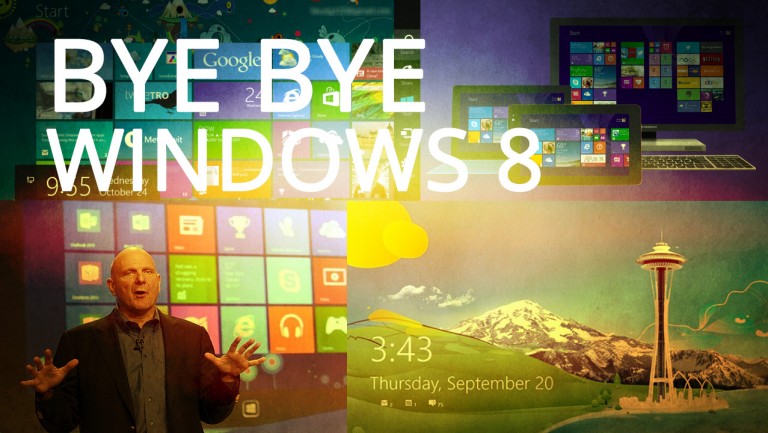
Windows 8 operation is optimized for touch screens. You just tap the screen to start the new Windows Store Apps or use the new tiles as information panels for new mail messages, news from social networks or the current weather forecast. A sweep of the finger or a touch of the Windows button lets you switch to the familiar desktop view. The on-screen keyboard is useful for entering text on tablets.
Along with the usual desktop, Windows 8 comes with a completely new user interface. To navigate you now use colorful tiles. Beneath the surface you'll find other improvements, such as a new file system for higher performance.
Conclusion: Speedy and tablet-friendly Windows version
Windows 8 uses less memory than older versions of Windows, runs faster and recommends itself even without the upgrade of the new user interface. Unlike previous versions of Windows, with Windows 8 the Windows concept is turned on its head with the introduction of many practical improvements. It's not just tablet users who can look forward to the new Windows.



.png)









User reviews about Windows 8
by jumo
I give 8 because it's windows 8 :)
by jumo
windows vista better
by Adekunle Idowu Emmanuel
it is very good. because is durable and efficient, capable to browse and to some many things
by Prema Gurung
welomeh77fhrejhrfyuerfehiumfpeokmioforkrmekopkmkporkerokoeopkerokoerpkgoerpgjerg
by Jennine Lunçeford
this survey is too early. i havent been able to download because the request to review Softonic is blocking the screen.
by mirza baig
good APP.THIS IS VERY GOOD APP AND THIS APP INSTALL IS VERY EASY